
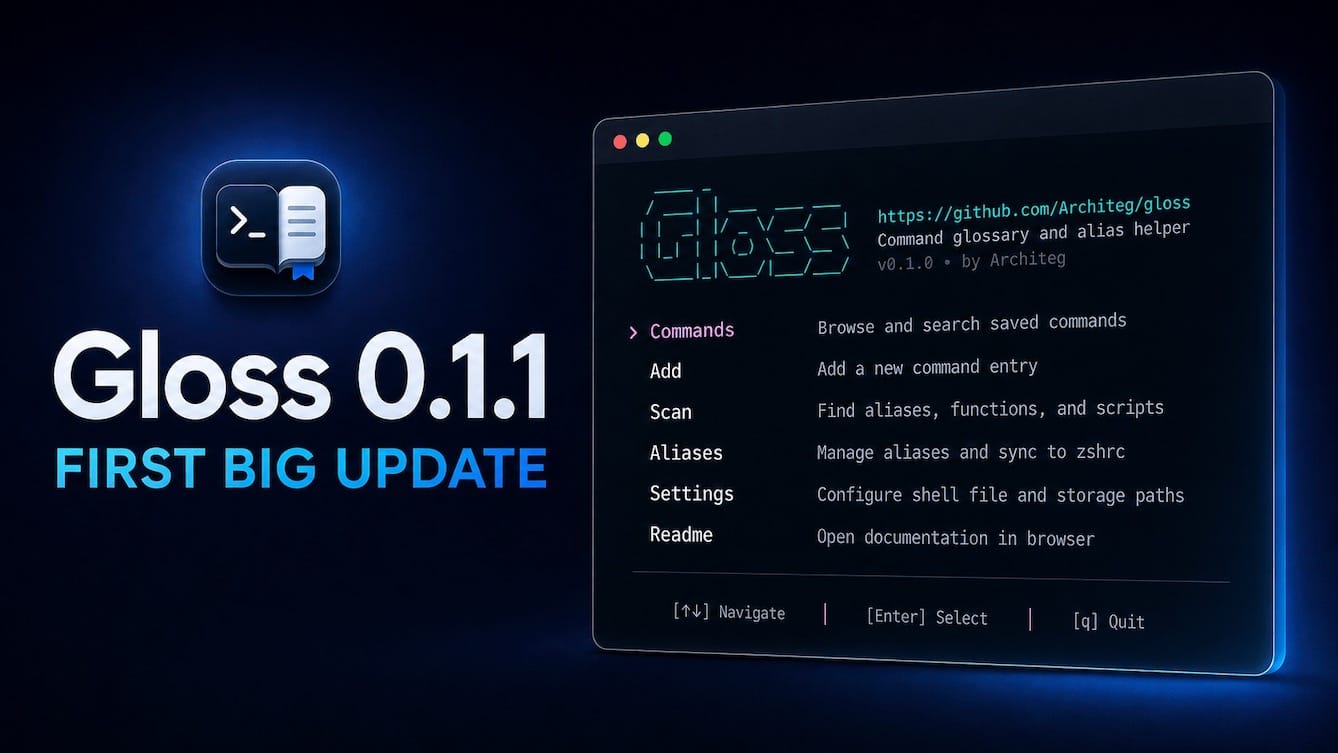
Gloss 0.1.1: The First Big Update — WorksFine Blog
Gloss 0.1.1 adds bulk tagging, clipboard copy, faster navigation, safer imports, verified updates, and a more responsive terminal interface.
Gloss 0.1.1: The First Big Update
Gloss 0.1.1 is out. The version number looks small, but this is the first big update since launch.
I built Gloss because I kept searching for commands I had already used and scattering useful snippets across shell history, notes, .zshrc, and other config files. The first release gave those commands one local, searchable home. This update focuses on what happens next: making that home comfortable once the collection starts growing.
Managing More Than a Handful of Commands
The biggest change is multi-selection and bulk tagging.
You can now select several commands in the TUI and update their tags together. That makes config imports much less tedious. Instead of opening every imported entry one by one, you can select a group and add, remove, or change tags in one pass.
Selections remain tied to the actual commands, even when filtering changes what is visible. Gloss also shows when selected items are hidden by the current filter before applying a bulk change. Small detail, but an important one: batch tools should not quietly modify things you cannot see.
Tag handling is more consistent too. Duplicate tags with different capitalization are normalized, while the spelling and order you chose are preserved.
Faster Browsing and Copying
The Commands screen is where I spend most of my time, so 0.1.1 makes it quicker to move around.
You can jump between tag groups instead of stepping through every entry, and long lists now keep the active command visible while scrolling. The layout adapts better to wide, medium, and narrow terminal windows, with simpler controls when space is limited.
Commands can also be copied directly to the clipboard from the TUI. No opening an entry, selecting text with the mouse, or trying to avoid copying the surrounding interface. Copy, paste, continue.
These are not dramatic features on their own. Together, they remove a surprising amount of friction from using Gloss as a daily tool.
Safer Imports and Local Storage
Gloss is still local-first. Commands, descriptions, tags, settings, and managed aliases stay on your machine under ~/.config/gloss/. There is no account, cloud service, or telemetry.
Version 0.1.1 tightens the less visible parts of that workflow:
- config scans remain read-only until you choose what to import
- selected scan results are imported in one transaction
- a failed batch import rolls back instead of leaving a partial result
- local configuration and database files use private permissions
- managed alias sync still writes only inside the dedicated Gloss block
- existing shell files are backed up when a sync actually changes them
I would rather have these guarantees be boring and predictable than clever. Shell configuration is not a good place for surprises.
Built-In, Verified Updates
Gloss can now check whether a newer stable version is available:
gloss updateStandalone installations can download and install an update explicitly:
gloss update --installDownloaded archives are checked against the published checksum before they are opened or installed. Gloss also validates the archive contents and replaces an eligible standalone executable atomically.
Automatic update checks are optional. Gloss asks on first launch, the setting can be changed later, and checks stay quiet when the app is current or the network is unavailable. Nothing is installed automatically.
Homebrew installations continue to use Homebrew:
brew upgrade Architeg/tap/glossInstalling Gloss
For a standalone installation on macOS or Linux:
curl -fsSL https://raw.githubusercontent.com/Architeg/gloss/main/scripts/install.sh | bashThe installer now presents each step more clearly, verifies the download, and can offer to add ~/.local/bin to your zsh or Bash path. It never invokes sudo.
Or install with Homebrew:
brew install Architeg/tap/glossThen launch the TUI:
glossGloss supports macOS with zsh and Linux with Bash, on Intel/AMD64 and ARM64 systems.
Still the Same Small Tool
This update adds a lot, but it does not change the purpose of Gloss. It is still a focused command glossary, not a shell replacement, dotfiles manager, cloud notebook, or AI command generator.
The goal remains simple: save useful shell commands with enough context to understand them later, find them without leaving the terminal, and sync selected aliases without turning a shell config into a junk drawer.
If you want the longer story behind the project, read How to Manage Shell Commands Without Turning zsh or bash Into a Junk Drawer.
You can find installation details and screenshots on the Gloss project page, or view the source and report issues on GitHub.
Gloss is open source under the MIT license. If you try 0.1.1, I would be interested to hear what still feels slow, awkward, or missing.